
What’s New inside DigitalCNC (May / June 2026)
In our latest release, we have focused on the parts of the software that determine whether the analysis you ran this morning still reflects the part you are cutting this afternoon. Compliance-grade traceability, robustness on very large programs, and a more accurate representation of the machines. This article walks through each change, what it means in practice, and where the operational impact sits.
Audit Logs and ITAR-Compliant Traceability
The headline change in this release is the traceability module. Every modification to a CAM program, every simulation run, every interaction with a toolpath inside DigitalCNC is now recorded against a timestamp and a user. The log is held in a tamperproof database. Backend data cannot be modified after the fact, which is the record-keeping condition that supports compliance with the International Traffic in Arms Regulations (ITAR).
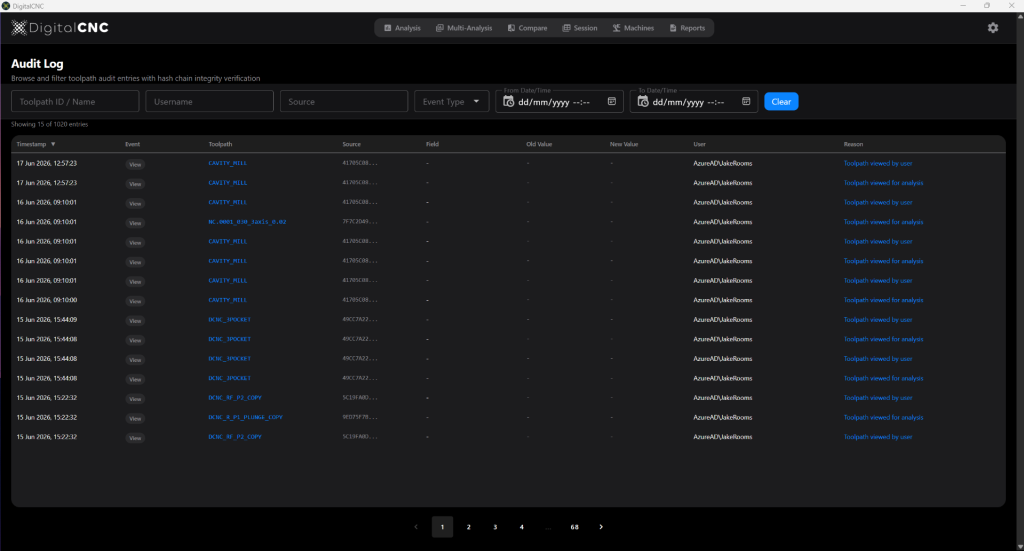
The log is searchable. You can filter by individual, by event type, and by date range. If a program was altered between Tuesday morning and Wednesday afternoon, you can see who altered it, what they altered, and when. Modifications made inside the CAM environment and inside DigitalCNC are both captured.
What this means as a user
Programmers working on controlled parts no longer have to maintain a parallel paper trail to satisfy compliance when working with our software. The trail is generated automatically and cannot be edited after the event. For teams working on defence and aerospace programmes, this removes a category of administrative work that has nothing to do with making parts.
Business impact
ITAR compliance is a gating requirement for a significant proportion of aerospace and defence work. Manufacturers that can demonstrate a tamperproof audit trail at the program level can take on programmes that would otherwise be closed to them. For larger primes, the same feature provides a defensible position during internal audit and customer audits.
Toolpath Robustness and Large Program Handling
Several changes in this release address how the application behaves when analysing very large CAM programs. Memory handling, toolpath sampling, and progress reporting have all been improved.
What this means as a user
Anyone who has tried to analyse a five-axis finishing program on a complex aerofoil or impeller blade inside any simulation environment knows the failure mode. The application either runs out of headroom, returns a result that smooths over the very transitions you need to see, or sits for several minutes without indicating progress. This release addresses all three. Large programs now run to completion, fine geometry on dense surfaces is resolved rather than smoothed over, and progress is reported throughout the calculation.
Business impact
The parts where this matters most are the parts where the cost of a scrap is highest. Aerospace structural components, turbine hardware, and medical implants are typically the largest and the most geometrically dense programs produced in any facility. Being able to analyse them reliably before they reach the machine reduces first-off iteration, which is where cycle time on a new component is actually lost.
Machine Library Expansion
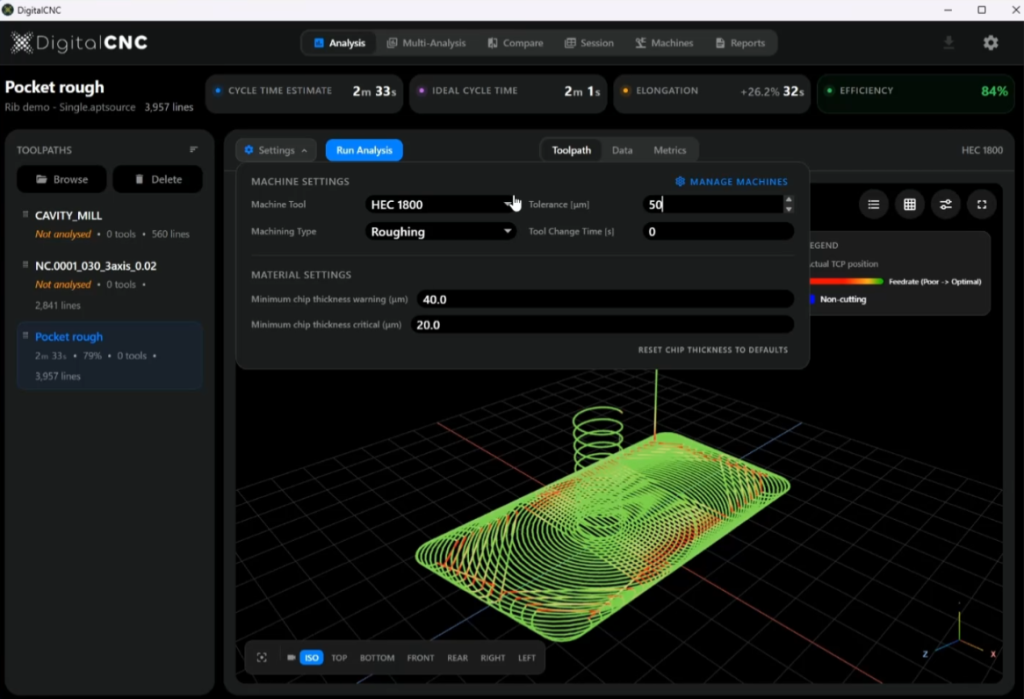
The sample machine library has been expanded in this release. The notable addition is the Heckert HEC 1800, a horizontal machining centre widely used for aerospace-grade titanium work.
What this means as a user
A wider range of machines can now be uploaded to DigitalCNC, including those equipped with SINUMERIK 840D and Heidenhain TNC640 controllers. These are two of the most widely deployed controllers in aerospace and high value machining, which extends accurate analysis to a larger portion of the assets that are usually run.
Business impact
Cycle time accuracy is the variable that feeds quoting, capacity planning, and job scheduling. A prediction that is consistently within a few percent of actual run time across all machine and controller combinations means quotes can be tightened and machine loading can be planned with confidence. This is most relevant to manufacturers that have multiple machining centres with various controller configurations.
Feedback and Suggestions Portal
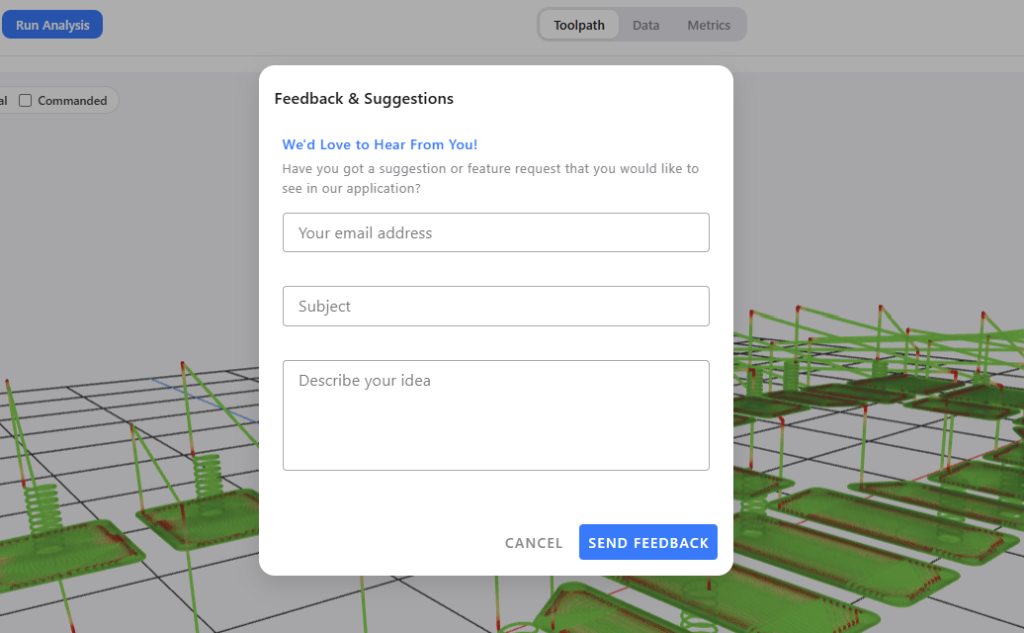
The feedback portal launches officially with this release. Suggestions and observations submitted through the portal route directly to the development team inbox.
What this means as a user
Behaviour that does not match what you see on the machine, requests for support of a specific controller, observations about how the analysis handles a particular operation type. All of these have a direct route to the people who can act on them. The route is shorter than email.
Business impact
For a tool whose accuracy depends on matching real machine behaviour, a short, direct channel from the people programming parts to the people building the software is itself a feature. Controller gaps, operation-specific edge cases, and behaviour that does not match the machine all surface faster, which lets the development roadmap track what shops actually hit rather than what is assumed.
Licensing Portal
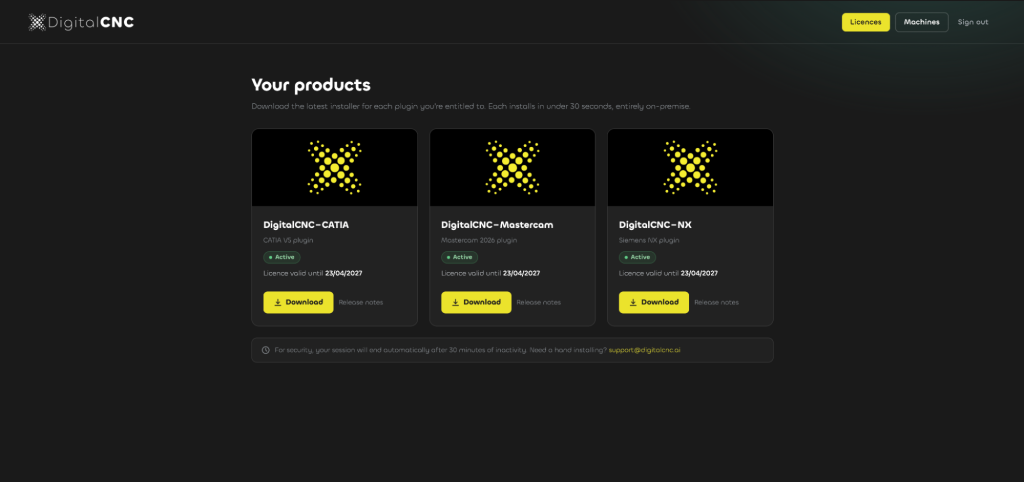
The licensing portal has been updated. Users can now view their entitlements directly and download the current build from the same interface.
What this means as a user
When a new build is released, the path from notification to running version is shorter. Entitlements are visible without raising a support ticket.